A blockage on New Dialogys does not always indicate a technical problem. Renault’s online platform, which has replaced the old downloadable version (the last being 4.90 from late 2019), now operates on a pay-per-use access model. Identifying the real cause of the blockage, whether related to the subscription, authentication, or browser, determines how quickly access to Renault Dialogys can be restored.
Expired offer or technical problem: distinguishing the cause of the Dialogys blockage
Most users facing a frozen login screen immediately try to reset their password. This approach only resolves a fraction of cases.
| Cause of blockage | Visible symptom | Typical resolution |
|---|---|---|
| Expired or unrenewed access offer | Login accepted, then redirected to the offers page | Check subscription status and regularize payment |
| Forgotten or expired password | Explicit error message on the login page | Use the “Forgotten your password?” link on newdialogys.renault.com |
| Change of email or identifier | Identifier not recognized despite correct password | Contact support to link the new email to the existing account |
| Browser or cache issue | Blank page, infinite loading, certificate error | Clear cache, test another browser, disable extensions |
| Unvalidated professional account | Access denied after account creation | Check that the professional file (SIRET, status) has been validated |
A blockage related to an expired offer is the most common cause and the least documented online. The hourly, daily, or flat-rate billing model means that a simple missed deadline cuts off access without technical notice.
When the problem concerns access to Renault Dialogys online, the first useful action is to check the validity of the subscription before any technical manipulation.

Password reset and authentication on New Dialogys
The portal newdialogys.renault.com distinguishes between two categories of users: Renault Group users (who use ARCA LOGIN or TOKEN LOGIN) and external users (email + password). The unlocking procedure differs depending on the profile.
External users: the standard procedure
The “Forgotten your password?” link on the login page triggers the sending of a reset email. If this email does not arrive, three checks are necessary:
- Check the spam folder and professional email filters, which frequently block automatic emails from Renault
- Verify that the email address associated with the account is still active and matches the one used during registration
- Ensure that the account was not created with a different address during a change of structure or business name
A change of email not reported to Renault permanently blocks automatic reset. In this case, only technical support can intervene to link the new address to the account.
Renault Group users
Employees of the Renault network using ARCA LOGIN rely on the group’s internal directory. A blockage at this level falls under the responsibility of the dealership’s network administrator or regional IT service, not the password recovery procedure intended for externals.
Browser and technical environment: silent blockages
New Dialogys is a web application that loads technical diagrams, exploded views, and large documents. Some environments cause blockages without clear error messages.
- Browser extensions (ad blockers, built-in VPNs, cookie managers) interfere with the authentication mechanism. Testing in private browsing immediately isolates this type of conflict
- A corrupted browser cache prevents the portal from loading after a platform update. Renault regularly updates New Dialogys (the current version is identified as V.219.0.7), and an outdated cache can generate conflicts
- Company firewalls or internet boxes sometimes block the domains necessary for the platform’s operation. Check that newdialogys.renault.com and its subdomains are not filtered
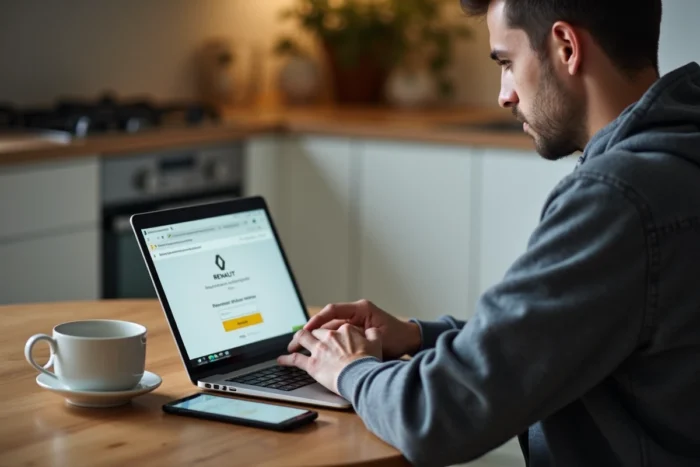
A quick test: if the login page displays but nothing happens after clicking “LOG IN,” the problem is almost always on the browser or local network side.
Strengthening authentication and recent developments on the platform
Recommendations from the CNIL regarding connected vehicles and the management of location data are pushing manufacturers, including Renault, to strengthen authentication and profile management mechanisms. This trend has direct repercussions on Dialogys.
Accounts linked to professional structures are subject to stricter checks. An independent garage whose SIRET has changed, or whose legal representative has been modified, may find itself blocked without understanding why. The platform does not always clearly distinguish an identifier issue from an administrative validation issue.
For professionals accessing New Dialogys via the “ACCESS TO OFFERS” button, the initial account creation requires a verifiable professional status. Individuals do not have access to the platform, which closes any possibility of bypassing with a personal account.
Quick resolution of a Dialogys blockage: steps to follow in order
The most effective reflex is to first check the status of the subscription, then the password, and then the technical environment. Reversing this order wastes time in most cases.
If the blockage persists after these checks, the Renault support accessible from the portal remains the only recourse for cases related to a administrative modification of the professional account. Keeping your contract number and registration email handy significantly speeds up the processing of the request.